Know what each client still owes you
Record what a client agreed to pay. When money arrives, apply it to the charge it pays. CatatKoin shows what is collected and what is still outstanding, for each charge and for each client.
Start tracking client paymentsUpgrade to Pro. Then add your first client charge.
What it does
One record for each agreement
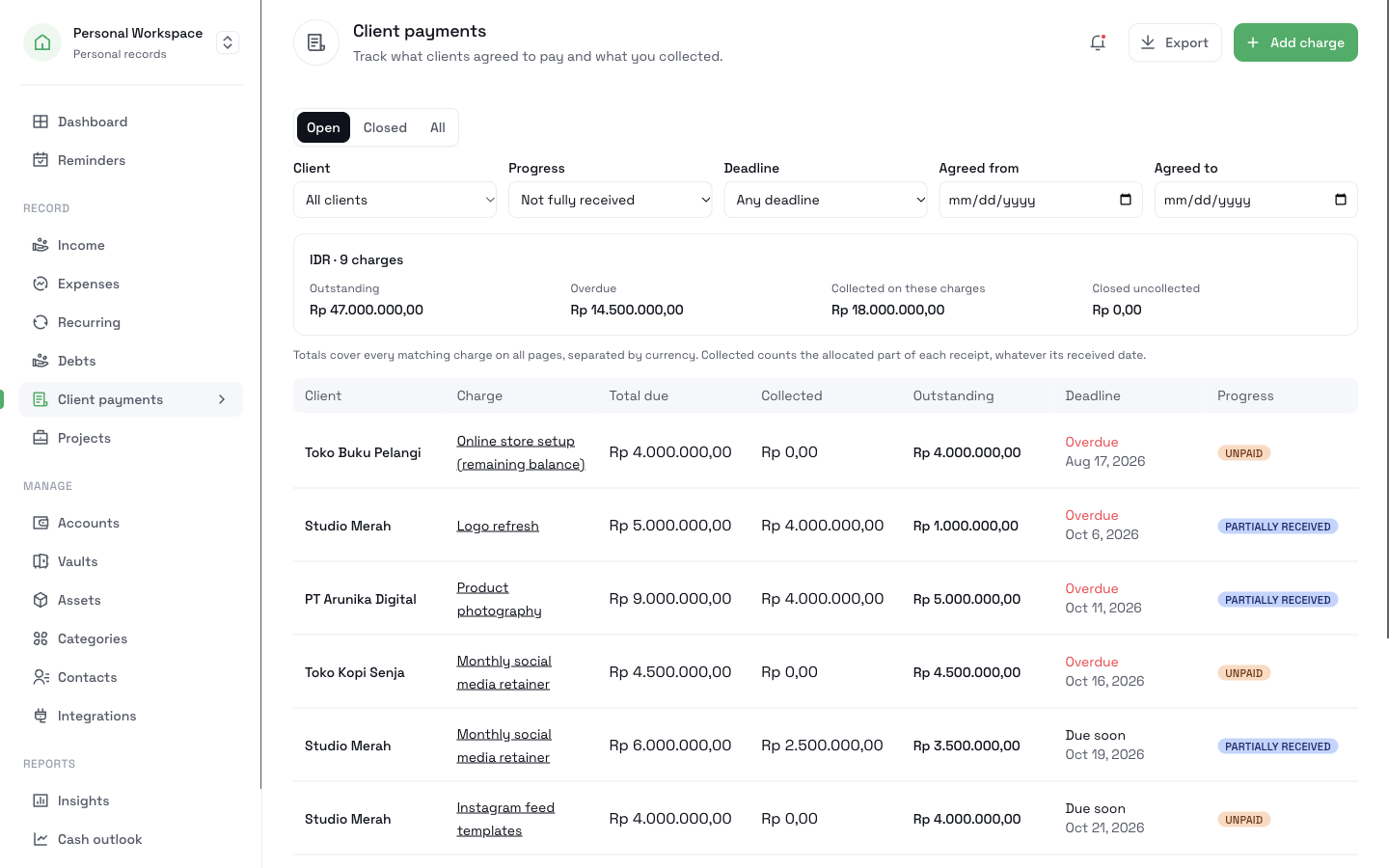
A client charge holds the agreed amount, the currency, and an optional deadline. Its status shows Unpaid, Partially received, or Fully received.
Payments in parts
A client can pay a deposit now and the rest later. Each payment you apply moves the charge forward, and the outstanding amount goes down.
One payment, several charges
A client can send one transfer for two jobs. You record it once as Income and split it across the charges it pays.
Overdue charges in one list
The Reminders page shows open charges that are overdue, due today, or due in the next 7 days.
How it works
- 1
Open Client payments and click Add charge. Choose the client from your Contacts, then enter the title, the total due, and the deadline.
- 2
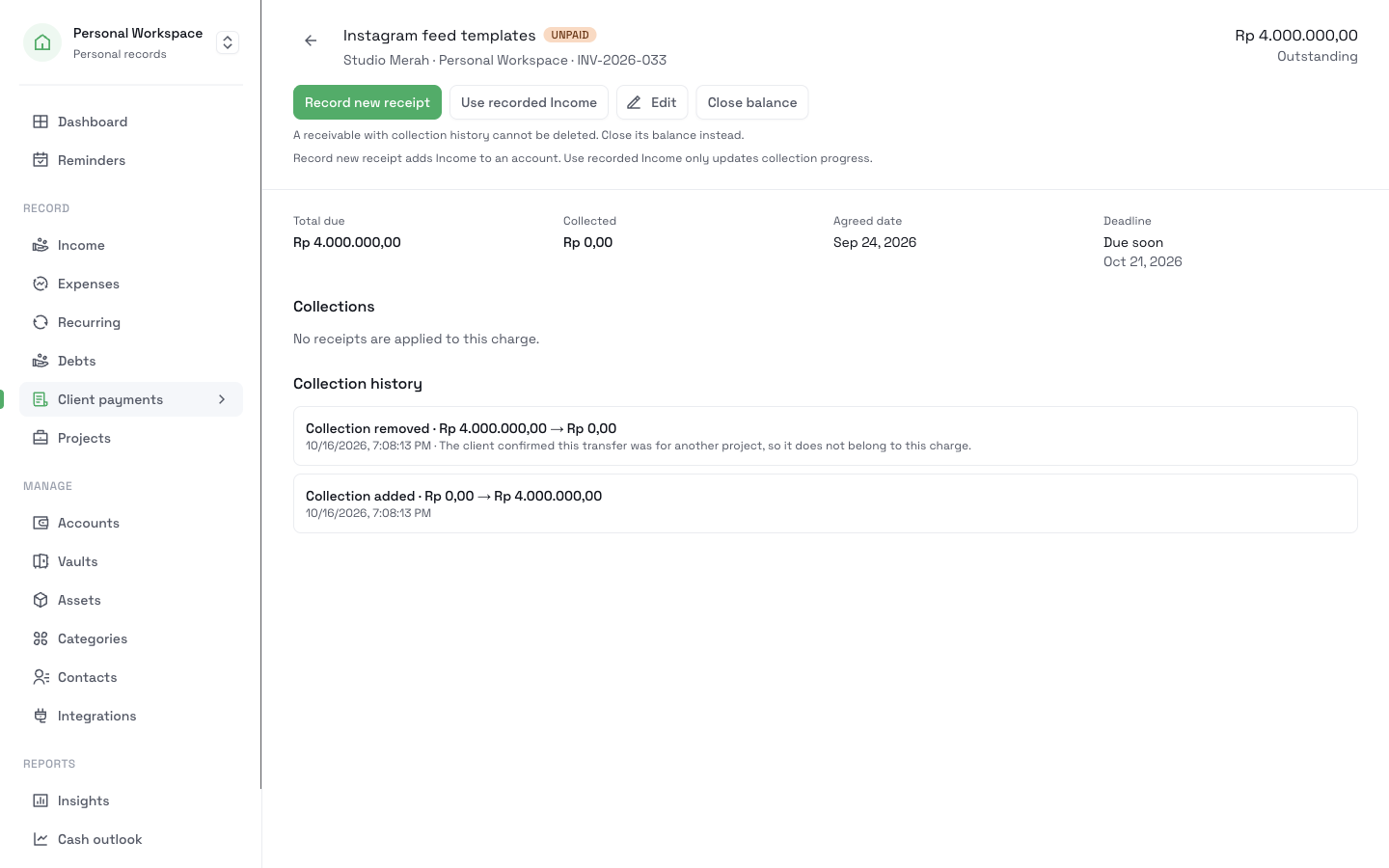
If money arrives, open the charge and click Record new receipt. Enter the amount and the account that received it. Then apply it to the client's open charges.
- 3
If you recorded the payment earlier on the Income page, click Use recorded Income to apply it. CatatKoin adds no money a second time.
- 4
If a client stops paying, click Close balance and enter a reason. If the client pays later, click Reopen charge.
- 5
Filter the list by client, progress, deadline, or agreed date. Click Export to download a CSV file.
What it does not do
- CatatKoin does not create invoices. The External invoice reference field is only a label for a document that you made in another tool.
- It does not send messages, emails, or reminders to your clients. Reminders stay inside CatatKoin.
- It does not connect to your bank. You record each payment yourself.
- A closed balance is not a payment and not a refund. It only means you stopped pursuing the rest.
Related pages
Track what clients owe
Add client charges, record each payment you receive, and see what is still outstanding. Close unpaid balances and export a CSV in CatatKoin.
Read moreTrack client payments
Record received client payments in the right account. Review income by date or source, see recorded balances, and correct payment details in CatatKoin.
Read moreProjects
Give each client job a page with its planned spending, recorded costs, client charges, and collected payments. Split one payment across jobs.
Read moreCash outlook
See each account's estimated daily balance for the next 7 or 30 days. Plan expected payments and find the first day an account goes below zero.
Read moreStop keeping client payments in your notes
Add each agreed amount once. As money arrives, apply each payment. Then you always know who still owes you, and how much.
Start tracking client payments