Keep business money apart from personal money
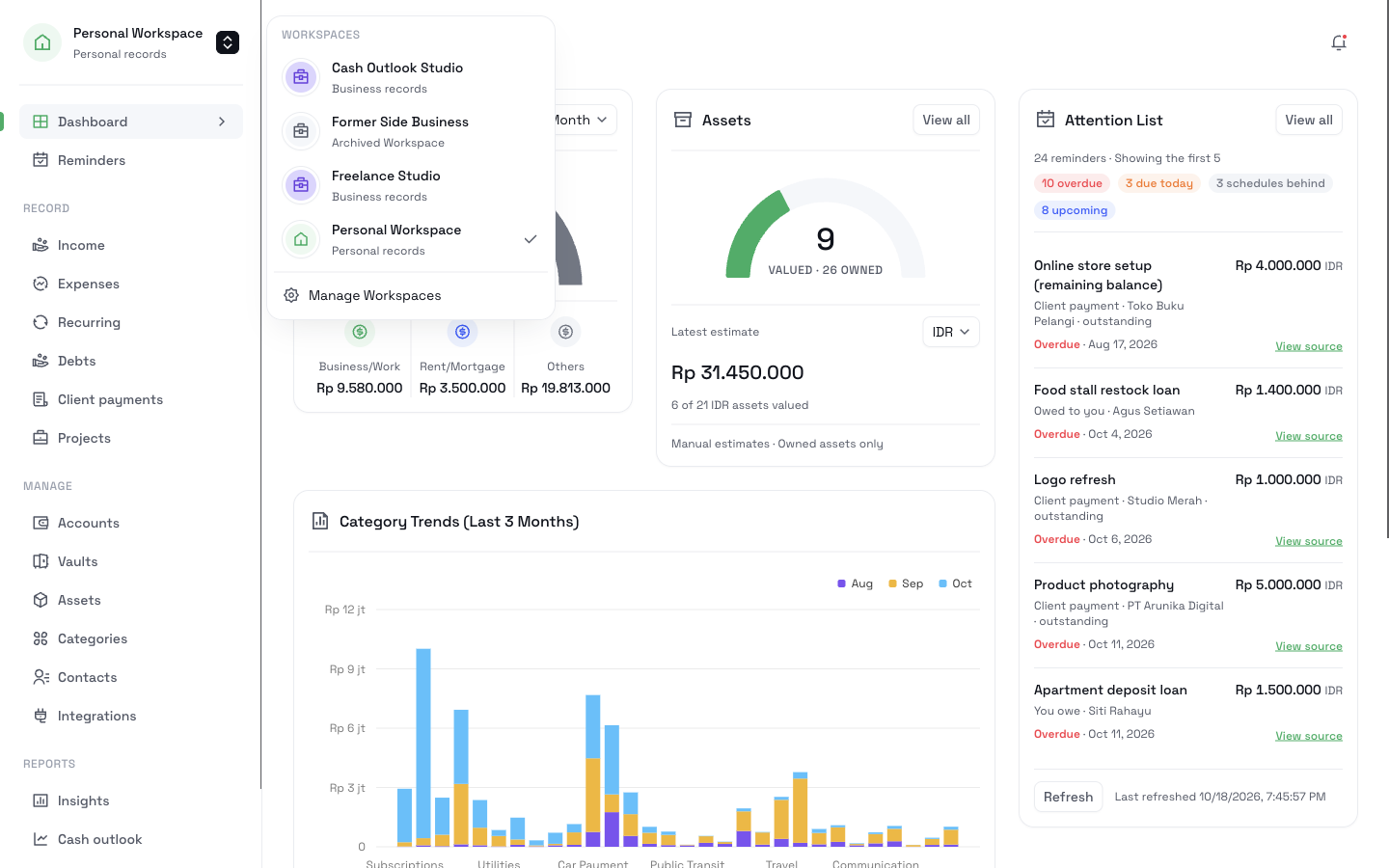
A Workspace is a private area for one part of your money. Your Personal Workspace holds your own spending. A Business Workspace holds the records for your freelance work or your small business. You switch between them with one click, and each one keeps its own lists and totals.
Create a Business WorkspaceUpgrade to Pro. Then add a Business Workspace and move your work records into it.
What it does
Separate lists and totals
Expenses, vaults, recurring costs, income, accounts, client payments, and Projects show only the records of the Workspace that you chose.
Move records with a preview
Select records and choose their new Workspace. Before you confirm, CatatKoin shows which totals, vaults, and account balances change.
Pay from the account you used
You can pay a business expense from a personal account. The expense stays in the business view, and the money leaves the personal account.
Archive a finished business
An archived Workspace keeps its records and balances. You can restore it at any time.
How it works
- 1
Open Settings, then Workspaces, and click New Workspace. Give it a name that you recognize.
- 2
Use the Workspace switcher to choose the Workspace that you want to see.
- 3
Add new records as usual. They go to the Workspace that you chose.
- 4
To move older records, click Move records, select them, and click Review move. Then click Confirm move.
- 5
If the business stops, pause its recurring costs and click Archive Workspace.
What it does not do
- A Workspace is for one person. It does not invite other people or give anyone else access.
- It is not a bank account and not a legal entity. Your accounts stay the same.
- Moving a record changes where it shows. It does not create a payment or change the amount.
Related pages
For freelancers
Track what clients owe and record each payment in the right account. Follow each job's costs and see your cash for the next 30 days.
Read moreClient payments
Record what each client agreed to pay, apply each payment you receive, and see what is still outstanding. Track payments in parts, without a bank connection.
Read moreProjects
Give each client job a page with its planned spending, recorded costs, client charges, and collected payments. Split one payment across jobs.
Read moreExpense tracking
Log expenses in seconds from the web, Telegram, or the API. Sort them into categories and vaults, review drafts, and export a CSV. No bank login needed.
Read moreOne login for both sides of your money
Keep your personal spending and your business records in the same app, each in its own Workspace.
Create a Business Workspace